 Kai
KaiAn AI sales assistant that actually knows your catalog
Kai adds a chat widget to your storefront that answers shoppers' product questions — price, stock, sizes, specs — straight from your live catalog. No manual setup, no re-import when you edit a product.
Free trial · Paid plans billed through Shopify
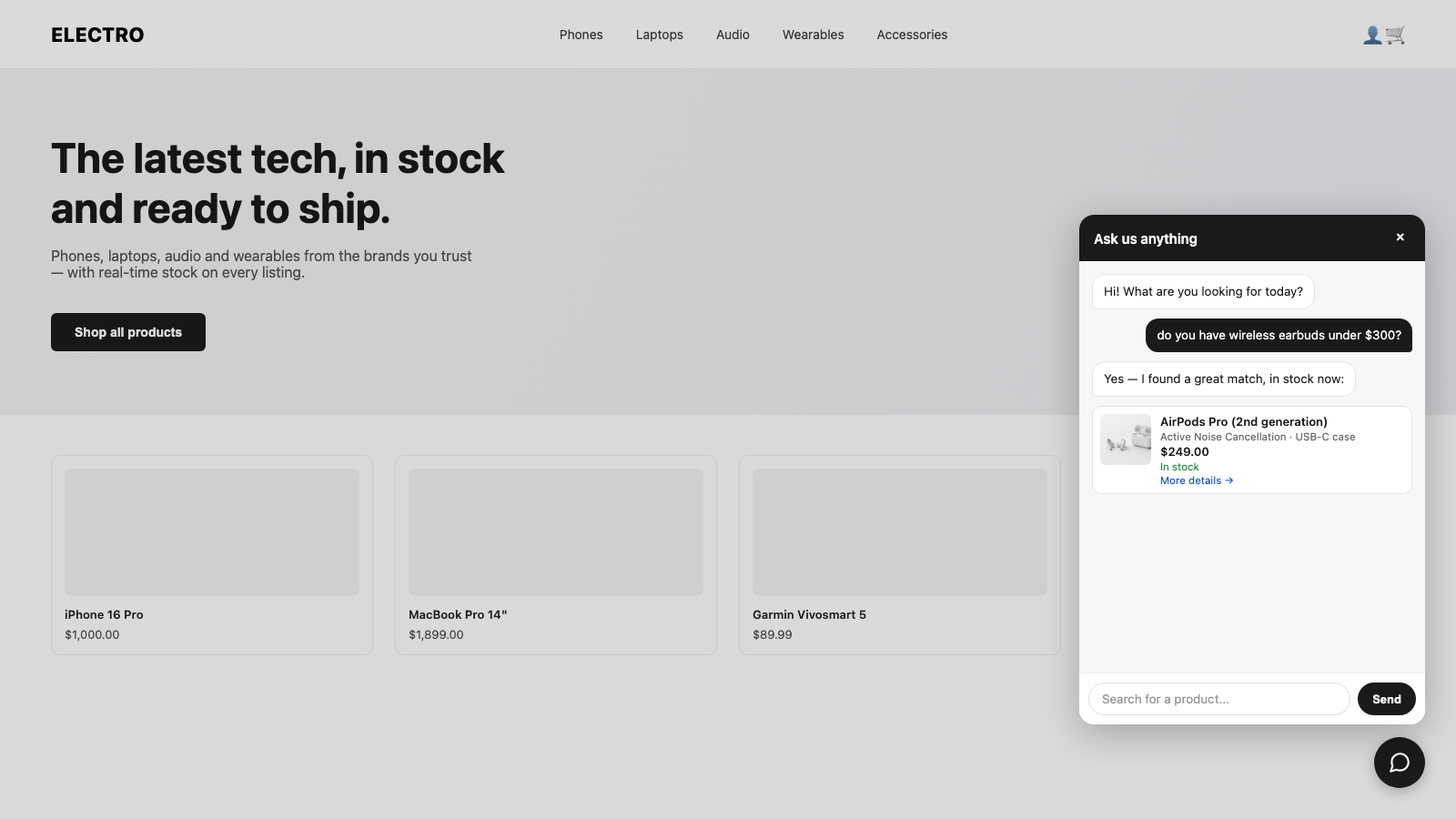 Shopify · Storefront
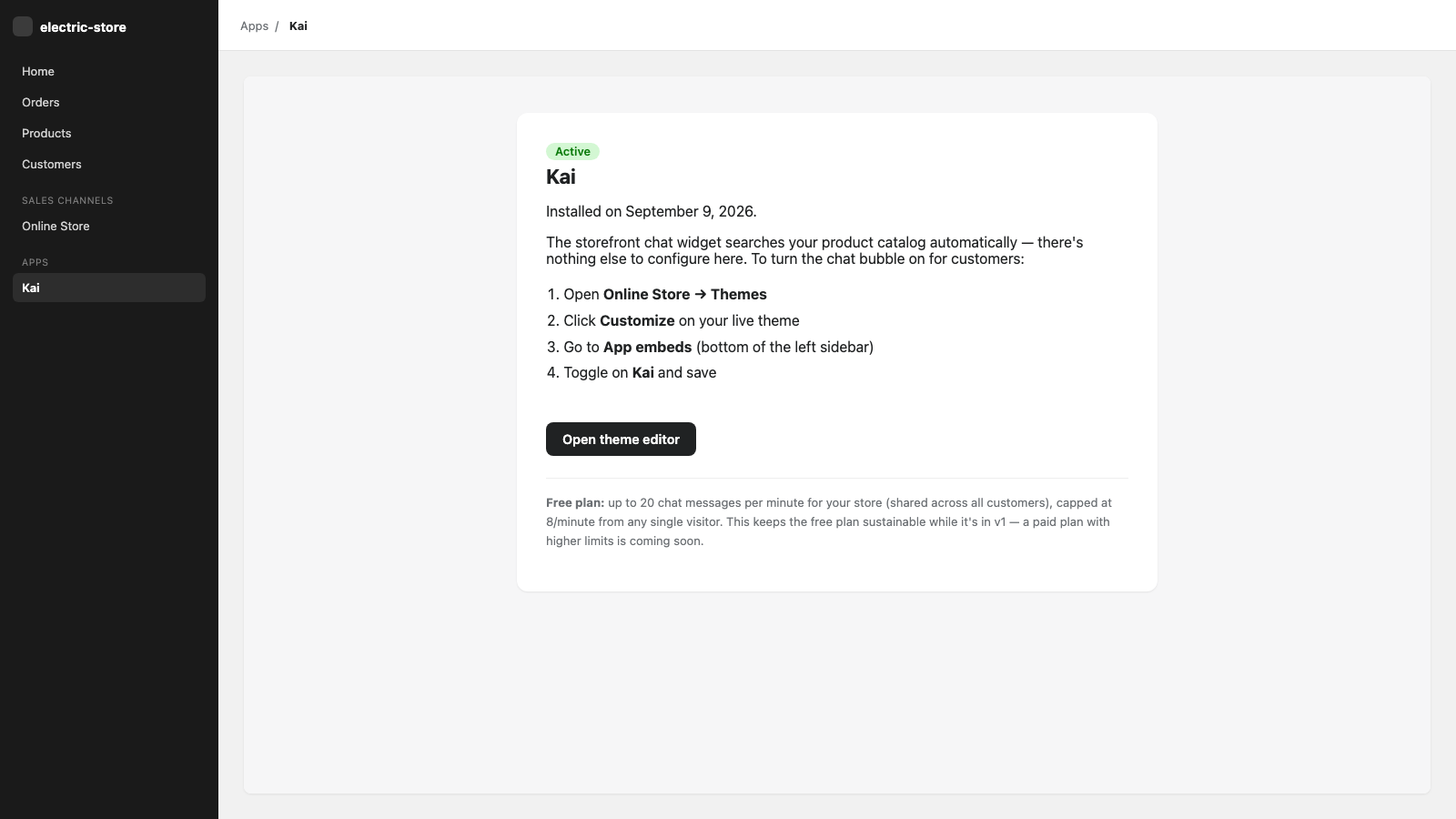 Shopify · Admin
Everything a storefront chat needs, nothing it doesn't
Live product Q&A
Answers price, stock, sizes and spec questions from your actual catalog — not a generic script.
Automatic sync
Your catalog syncs automatically through Shopify and stays current whenever you add, edit or remove a product.
Privacy by design
Reads only published, storefront-visible products. Never touches orders, customers or payment data.
Easy install
Install from Shopify and approve access. Uninstalling revokes access, and shop data is deleted per our privacy policy.
Replies in the shopper's language
Kai answers in the language the shopper writes in, while searching your catalog accurately.
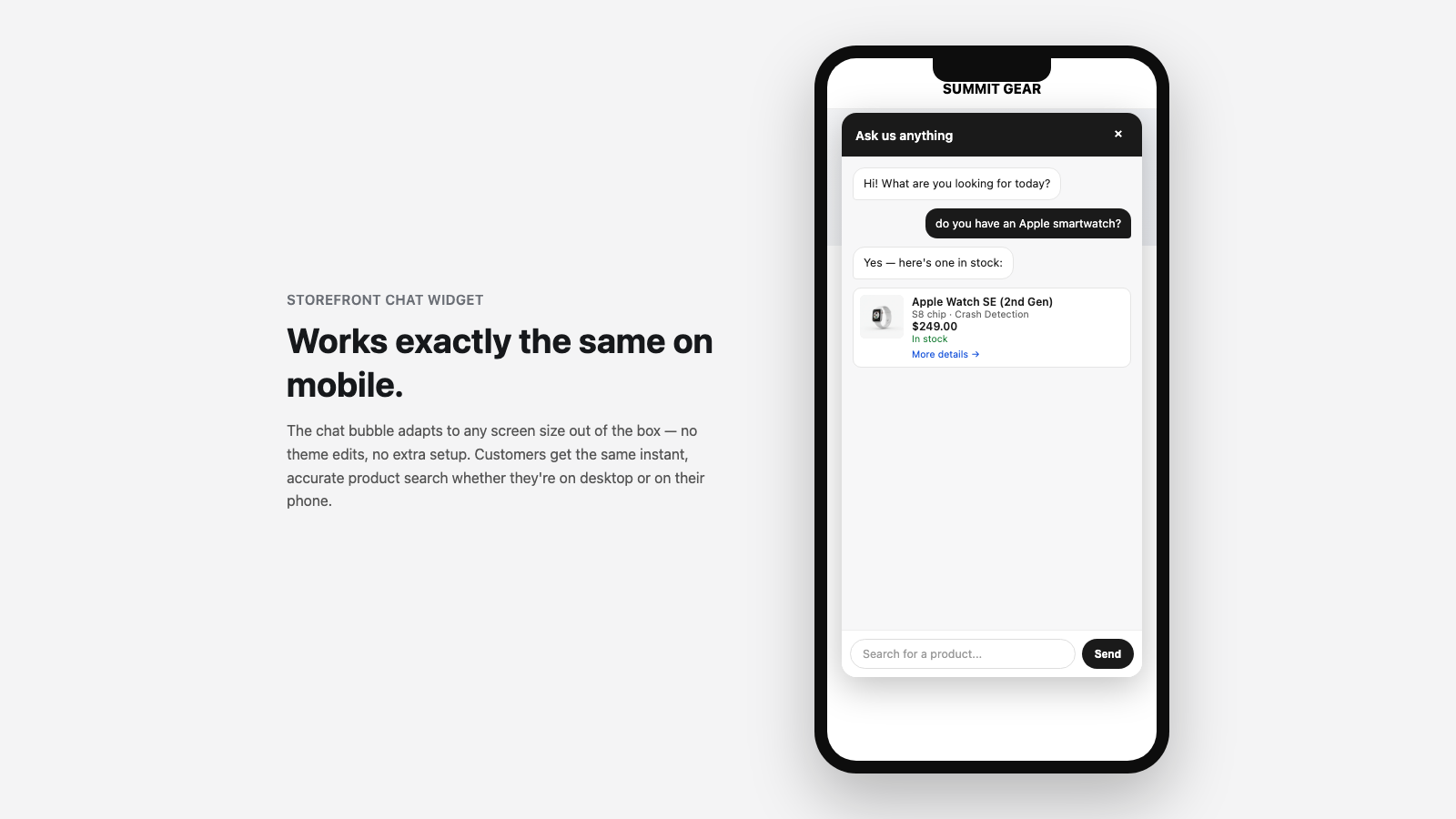
Fits your theme
A lightweight theme app extension — no code, no theme edits, and it's removed cleanly on uninstall.
See it on your storefront and in your admin
Up and running in three steps
Install from Shopify
Install Kai and approve access to your product catalog.
Enable the chat
In Online Store → Themes → Customize → App embeds, switch on Kai. No code needed.
Products import automatically
Your catalog syncs automatically through Shopify and the chat goes live on your storefront.
Ready to give shoppers instant answers?
Start with a free trial. Uninstall any time.
Frequently asked questions
What data does Kai access?
Only your published, storefront-visible products: title, description, price, stock and images. Kai never reads orders, customers or payment data.
What happens when I uninstall Kai?
Uninstalling revokes Kai's access to your store, and your shop data is deleted per our Privacy Policy.
Is Kai free?
Kai starts with a free trial, then paid monthly plans billed through Shopify — no overage charges.
Which platforms does Kai support?
Kai is built for Shopify. See our Terms of Service for details.
Where is my data processed?
By the Kai service. See our Privacy Policy for full details.